Deal Workflow — CRM to Commission Payout
Last update:
21/03/2026
Completed
📝 Knowledge Check — Deal Workflow Certification Quiz
123 Views •6.1 — Vendor Bills List
119 Views •6.2 — Vendor Bill Form
118 Views •3.5 — Manager & Director Lines
107 Views •7.2 — Sale Order Final State
104 Views •2.2 — Verify Sale Order Header
104 Views •3.1 — Commission Lines Overview
99 Views •3.4 — Commission Status Bar
98 Views •1.2 — Mark Opportunity as Won
94 Views •5.2 — Purchase Order Auto-Created
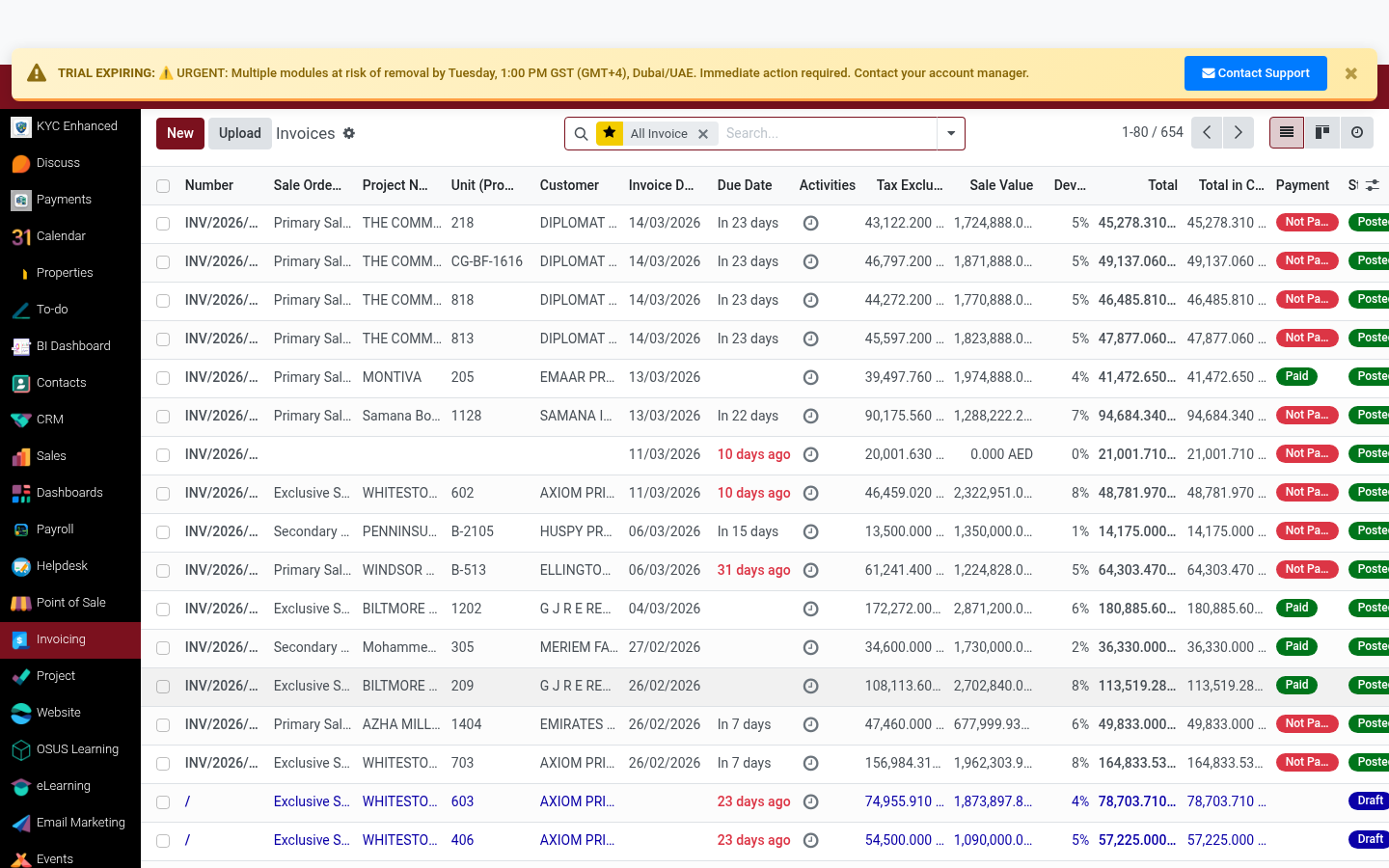
92 Views •4.1 — Create & Find the Invoice
92 Views •1.1 — Open CRM Pipeline
92 Views •3.3 — Commission Calculation Verification
90 Views •1.3 — Document in Chatter
89 Views •7.4 — Accounting Dashboard Check
89 Views •2.3 — Check Order Lines
86 Views •7.3 — Commission Overview Report
86 Views •2.4 — Commission Lines Tab
82 Views •4.2 — Posted Invoice Header
82 Views •5.3 — Review PO Lines
81 Views •3.5 — Manager & Director Lines
📍 WHERE TO FIND IT
Accounting ▸ Customers ▸ Invoices ▸ [Invoice]
✅ WHAT TO DO
Create the customer invoice from the confirmed sale order. Click 'Create Invoice' on the SO or find it in Accounting.
- From the SO: click 'Create Invoice' button
- Choose 'Regular Invoice' type
- Set invoice date to booking/SPA signing date
1
2
3
💡 TIP
Always create the invoice from the Sale Order — this ensures the invoice is linked to the SO for reconciliation.
Rating
0
0
Commenting is not enabled on this course.